IESCO Bill Check Online 2026 | View, Download & Pay Your Electricity Bill
Official IESCO Bill Check Tool 2026
System Online
Enter Reference Number or Consumer ID
🔒 Direct Official PITC Portal
Recent Searches
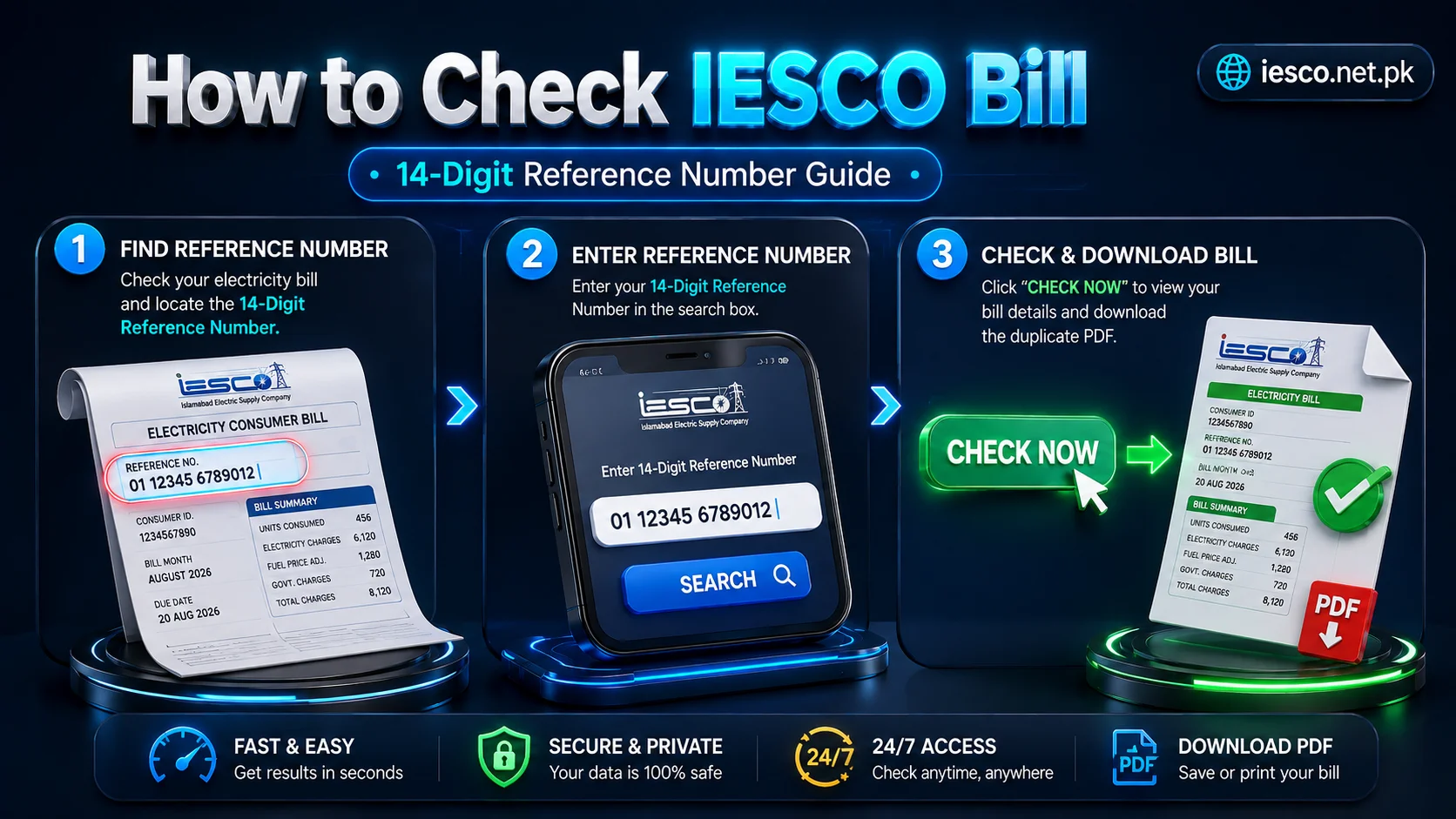
If you live in Islamabad or any other area served by IESCO and want to check your latest electricity bill online, you are in the right place. You do not need to wait for the paper copy to reach your home or visit an office just to find out how much you have to pay. You can view your latest IESCO bill online in just a few moments using your 14-digit Reference Number or 10-digit Consumer ID.
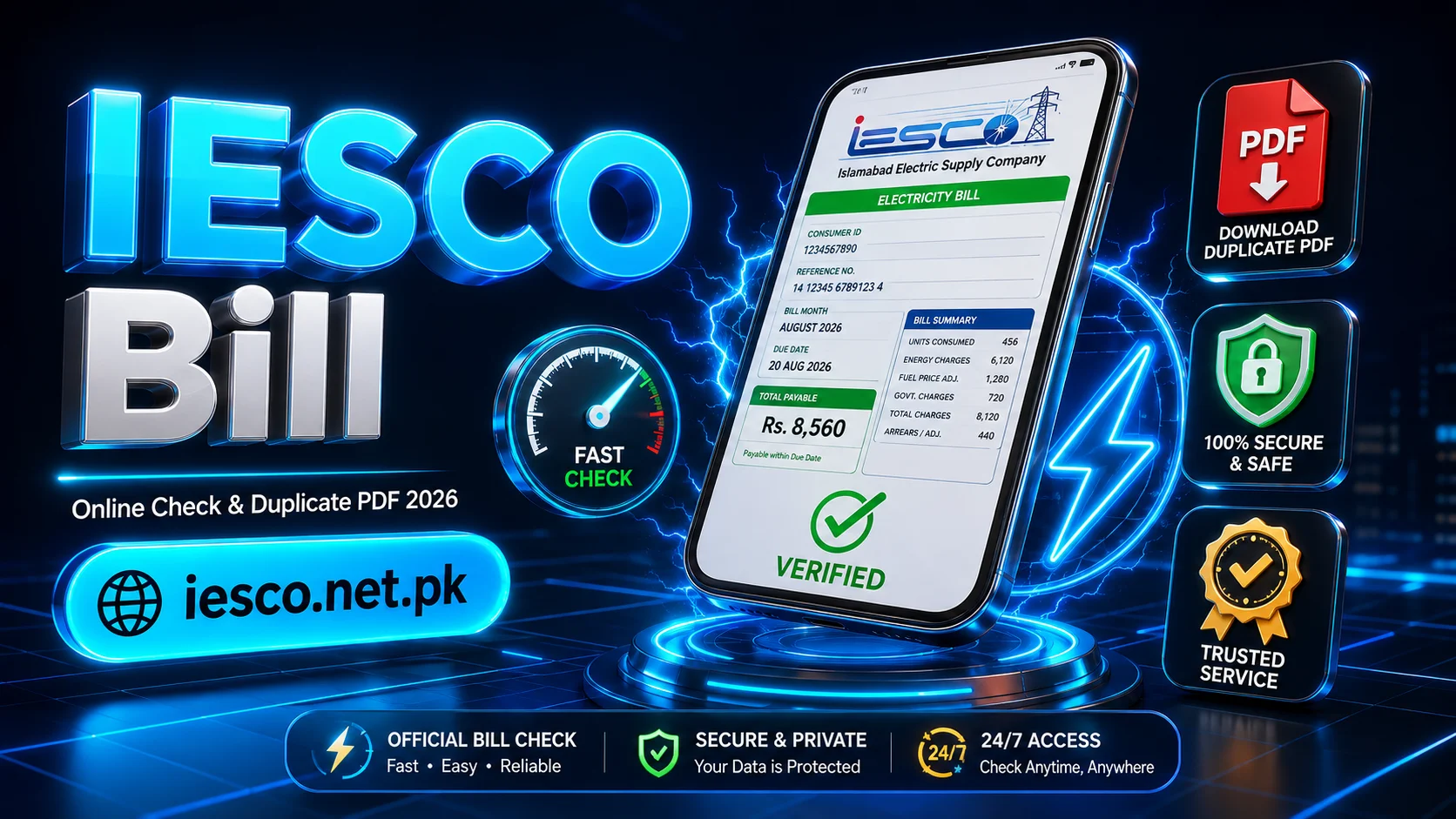
To check your bill, simply click on the IESCO Bill Check button below. It will take you directly to the bill-checking tool. Enter your Reference Number or Consumer ID, click Check Now, and your latest statement will appear on your phone or computer screen. Once it is displayed, you can check the amount due, due date, meter reading, units consumed, and other billing details without any confusion. If you need a copy for your records, you can also download or print a duplicate copy from there.
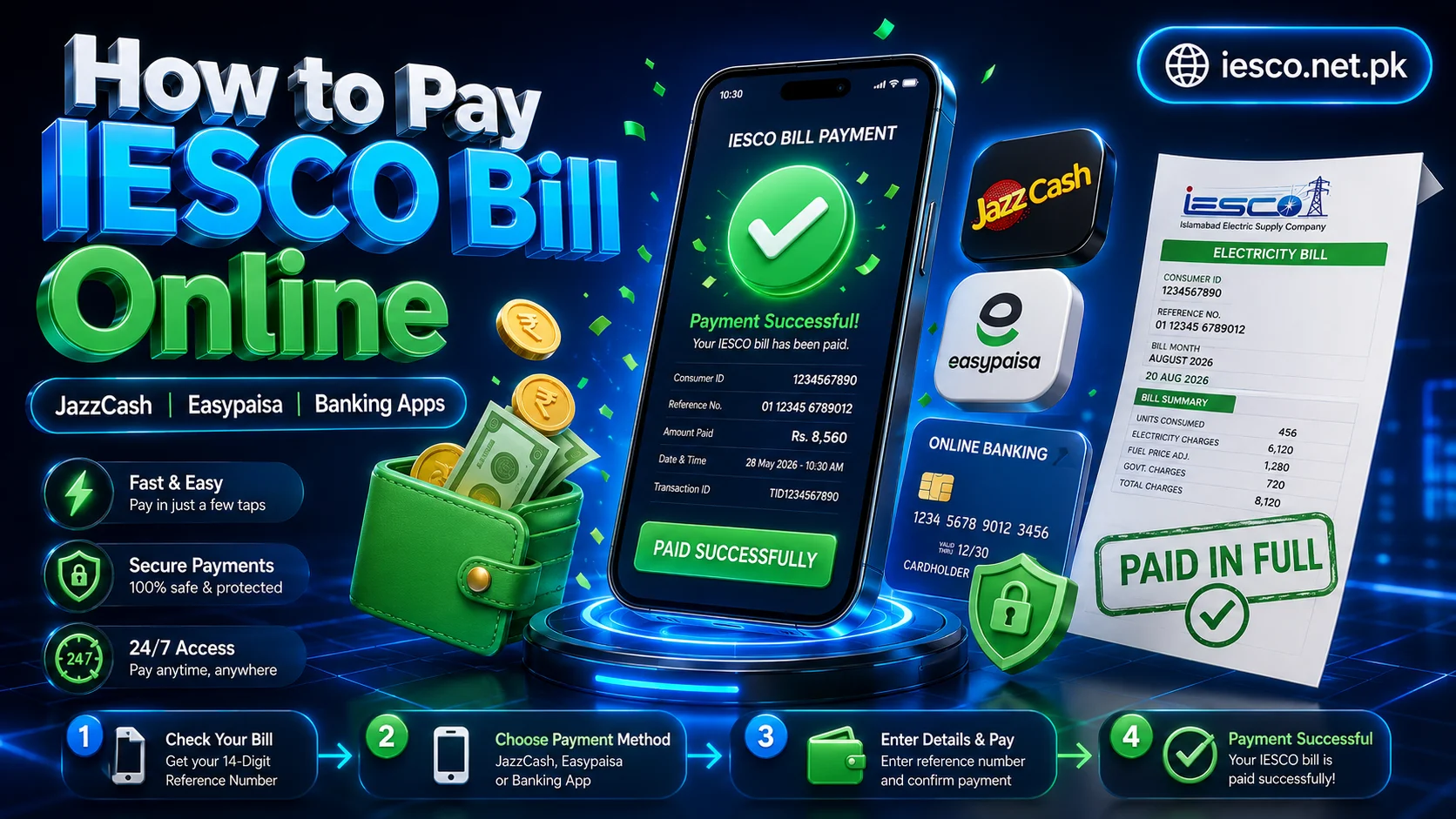
And if your purpose is simply to make a payment, you do not have to stop there. Below, you will also find how to pay through JazzCash, Easypaisa, and supported banking apps, with the complete process explained step by step.
Check Your Iesco Online Bill
The easiest way to view your latest statement is through the bill-checking tool above. You do not need to enter a long list of information; just use one of the identification numbers printed on your previous bill.
Using the Reference Number
Look at your previous statement and find the 14-digit Reference Number in the consumer details section.
Enter the number carefully into the checking tool and select Check Now.
If the information matches your connection, the available statement will be displayed on the screen.
Using the Consumer ID
If you prefer, you can use the 10-digit Consumer ID instead.
Enter the complete number exactly as it appears on your bill and click Check Now.
You only need one of these numbers to start the search, so there is no need to enter both.
Find Your Reference Number or Consumer ID
These two numbers are easy to mix up because they are normally printed close to each other on the bill. Knowing the difference can save you from entering the wrong information.
Reference Number: This is the longer identification number associated with your electricity connection. Your previous bill can be used to locate it.
Consumer ID: This is a separate 10-digit identifier also printed in the consumer information section.
Before submitting either number, compare it with your previous statement. A single incorrect digit can prevent the correct record from being found.
What Information Is Shown on the Bill?
When your statement opens, you don't have to understand every line immediately. The main sections tell you who the connection belongs to, how much electricity was recorded, and how the final amount was calculated.
Consumer Details
This area identifies the connection and normally contains information such as the consumer's name, address, Reference Number, and Consumer ID.
Meter Reading and Units
The bill shows the previous and current meter readings. The difference between the readings is used to determine the electricity units recorded for the billing period.
Issue Date and Due Date
The Issue Date tells you when the statement was generated, while the Due Date tells you when the payment is expected.
Current Charges and Previous Balance
Current charges relate to the present billing period. If an unpaid amount from an earlier period exists, it may appear separately as arrears or a previous balance.
Taxes and Other Adjustments
Depending on the applicable billing structure, taxes, surcharges, adjustments, and other charges can contribute to the final amount.
Amount Payable
This is the amount shown as payable according to the bill and its applicable payment deadline.
How to Download or Print a Duplicate Copy
If you have misplaced your IESCO paper bill, there is no need to wait for another physical copy before keeping a record. Once your statement has opened through the online tool, you can save or print the displayed document using the options available on your device or browser.
Save the IESCO Online Bill on Your Phone
Open the displayed statement and look for the Download or Print option. Depending on your phone and browser, you may be able to save it directly as a PDF.
Keep the file in a safe folder so you can access it again whenever you need a copy.
Download or Print on a Computer
On a computer, you can use the available Download or Print option. If necessary, press Ctrl + P and select Save as PDF.
You can then store the file digitally or print a paper copy for your records.
Understanding the New Bill Format
A modern electricity statement can contain a lot of information at first glance, but each section has a specific purpose. Once you know what the main fields mean, checking your monthly charges becomes much easier.
The consumer details identify the connection, the meter section records consumption, and the payment section brings together current charges, previous amounts, applicable adjustments, and the final payable figure.
Keeping an older statement nearby can also help you compare your readings, units, and payable amount from one billing period to the next.
What Are the Three QR Codes on the New Bill?
The newer bill format may include QR codes that provide quicker access to digital services. Their purpose depends on the specific code and the service to which it directs you.
Billing and Payment
A payment-related QR code can provide a quick route to a relevant digital billing or payment service, reducing the need to manually enter information.
Bill Checking and Verification
Another code may provide access to digital billing information or verification services from a compatible device.
Subsidy or Relief Services
A QR code associated with a government relief or subsidy service can direct eligible consumers to the relevant information or application process.
Always check the destination before entering personal, account, or payment information after scanning any QR code.
How to Pay Your iesco Bill Online
Once you know the amount you need to pay, you can choose a supported digital payment method instead of visiting a payment counter.
The exact menu names can vary slightly between apps and banks, but the general process is straightforward.
Iesco bill Pay Through JazzCash
If IESCO bill payment is available in your JazzCash account, open the app and go to the bill-payment section.
1
Select Bill Payment.
2
Choose Electricity.
3
Select IESCO.
4
Enter the requested billing information.
5
Check the consumer details and amount shown.
6
Confirm the transaction.
7
Save the receipt or confirmation message.
Pay bill through Easypaisa
You can follow a similar process through Easypaisa, where IESCO payments are supported.
1
Open the Easypaisa app.
2
Select Bill Payment.
3
Choose Electricity.
4
Select IESCO.
5
Enter the required information.
6
Verify the amount and consumer details.
7
Confirm the payment.
8
Keep the transaction confirmation.
Pay Through a Banking App
Many banking applications provide utility bill payments directly from the mobile app.
Open your bank's app, go to Bill Payment or Utility Bills, select Electricity, and then choose IESCO if it is listed. Enter the required billing number, verify the displayed information, and confirm the payment.
Always check the consumer name and amount before approving the transaction.
Pay Through an ATM
If your bank's ATM supports IESCO utility payments, you can also use the ATM to complete the transaction.
Choose the utility bill payment option, select IESCO, enter the requested information, verify the details, and complete the payment. Keep the receipt until the transaction has been properly recorded.
How to Check Whether Your Iesco bill Payment Was Recorded
After paying, keep your transaction receipt, confirmation message, or reference number until the payment has been reflected in the relevant system.
If money has already been deducted from your account but the payment status has not changed, do not immediately submit another payment. Give the transaction some time to process.
If the issue remains unresolved, contact the payment provider or IESCO and provide your transaction details so they can trace the payment. Please review our Disclaimer for more information regarding third-party banking transactions.
Why Is My Bill Not Showing Online?
Sometimes a statement may not appear even when the identification number is correct. Before assuming there is a problem with your connection, check the following.
Incorrect Number
Compare every digit of your Reference Number or Consumer ID with your previous bill. An incorrect digit can lead to an unsuccessful search.
Temporary Technical Issue
The online service may occasionally experience a temporary problem. Refresh the page and try again after some time.
New Bill Not Yet Available
If a new billing cycle has recently been generated, the latest information may take some time to become available through an online service.
Browser or Internet Problem
A weak connection, browser issue, or interrupted request can also prevent the result from loading. Try refreshing the page or using another browser or connection.
Lost Your Previous Bill? Here's What to Do
Losing the paper copy does not necessarily mean you have lost access to your billing information.
If you have saved your Reference Number or Consumer ID, you can use it to retrieve the available statement through the online checking tool.
You can also check an old payment receipt, banking transaction, or digital record where your billing information may have been saved.
If you no longer have any of these details, contact IESCO through its customer-service channels rather than guessing the number. IESCO's official website currently provides customer-service resources and a Reference Number search facility.
Can You Check Iesco Bill by Name, CNIC, or Meter Number?
A name by itself is not a reliable way to identify a particular electricity connection because many consumers can have the same name.
For the normal iesco online bill-checking process, use the identification details associated with your connection, such as the Reference Number or Consumer ID.
If you no longer have those details, contact IESCO to find out which information can be used to recover your connection record.
What If You Find an Error on Your Iesco Bill?
If something looks unusual, first compare the current statement with an older bill and your payment records.
For example, if an amount appears as an outstanding balance even though you have already paid it, keep your payment receipt or transaction confirmation as evidence.
For incorrect meter readings, billing amounts, connection information, or other disputes, contact the relevant IESCO customer service channel and provide the supporting details.
If you experience any billing discrepancies or payment confirmation issues, you can reach out via our Contact Us team for guidance.
IESCO also provides complaint-related digital services, including complaint management and customer-service channels.
Other IESCO Bill Services You May Need
Checking the monthly statement is only one of the services electricity consumers may need. Depending on your situation, you may also need information about tariffs, complaints, outages, or other consumer services.
Duplicate Bill
Useful when you need another copy of a statement that has been lost or misplaced.
Tariff Information
Helpful when you want to understand the electricity rates and applicable billing structure.
Complaint Management
Useful for reporting or following up on electricity, billing, or service-related problems.
Load Shedding Information
Helpful when you want to check information about outages or scheduled load shedding in your area.
Customer Service
If an online option does not solve your problem, customer service channels can help with connection and billing-related issues.
IESCO's official website currently lists services including duplicate bills, load-shedding information, complaint management, consumer profiles, and other customer resources.
Areas Served by IESCO Online Bill
IESCO's distribution network covers Islamabad and surrounding areas across several districts. Its official consumer information includes divisions in Islamabad, among others.
Major areas include:
Islamabad
Rawalpindi
Attock
Jhelum
Chakwal
If your electricity connection falls within IESCO's service network, you can use the relevant consumer and billing services available for your connection.
Frequently Asked Questions
Use the bill-checking tool, enter your 14-digit Reference Number or 10-digit Consumer ID, and click Check Now. Your latest iesco bill is shown on the screen.
You need either your Reference Number or Consumer ID associated with the electricity connection.
Yes. Once the statement is displayed, use the available Download or Print option to save or print a copy.
Where IESCO bill payment is supported, you can use JazzCash's bill-payment facility and follow the steps shown in the app.
Yes, where the service is available. Select electricity bill payment, choose IESCO, enter the required information, verify the amount, and complete the transaction.
Supported banks may provide IESCO under their electricity or utility bill payment options.
First, verify your Reference Number or Consumer ID. If the information is correct, try again after refreshing the page or waiting for a temporary system or billing update issue to clear.
If you still have your Reference Number or Consumer ID, you can use the online tool to retrieve the available statement and save a copy.
Keep your transaction receipt and allow time for processing. If the payment remains unrecognized, contact the payment provider or IESCO with your transaction details.
The normal online checking process relies on the billing identification details associated with the connection rather than a name alone.
Compare the statement with previous bills and payment records, then contact IESCO's relevant customer service or complaint channel if the issue remains.
Final Thoughts
Checking your IESCO electricity statement online is much easier when you already have your connection details available. Instead of waiting for a paper copy, you can use the online tool to view the available statement, understand the important figures, save a duplicate copy, and choose a suitable payment method. The bill itself contains useful information about your connection, consumption, charges, previous balance, and payment deadline. Once you understand these sections, it becomes much easier to spot unusual readings or amounts and keep track of your monthly electricity expenses.
Whether you need to view your latest statement, download a duplicate, pay through JazzCash or Easypaisa, use a banking app, or deal with a billing issue, the steps above can help you complete the process with less confusion. Keep your Reference Number or Consumer ID somewhere safe so you can access your billing information whenever you need it.
Where is the Reference Number?
Your 14-digit Reference Number is printed on the top-left section of your paper bill, right below your Consumer Name & Address. It typically looks like: 01 12345 6789012 U.